Image to Text
Sign in to use this tool.
Image to Text
Extract readable text from an image with Banana Pro. Upload a screenshot, label or poster, review the transcription and copy the text.
Recognition may miss or misread characters. Check names, numbers and important wording against the source.
Extract text ↑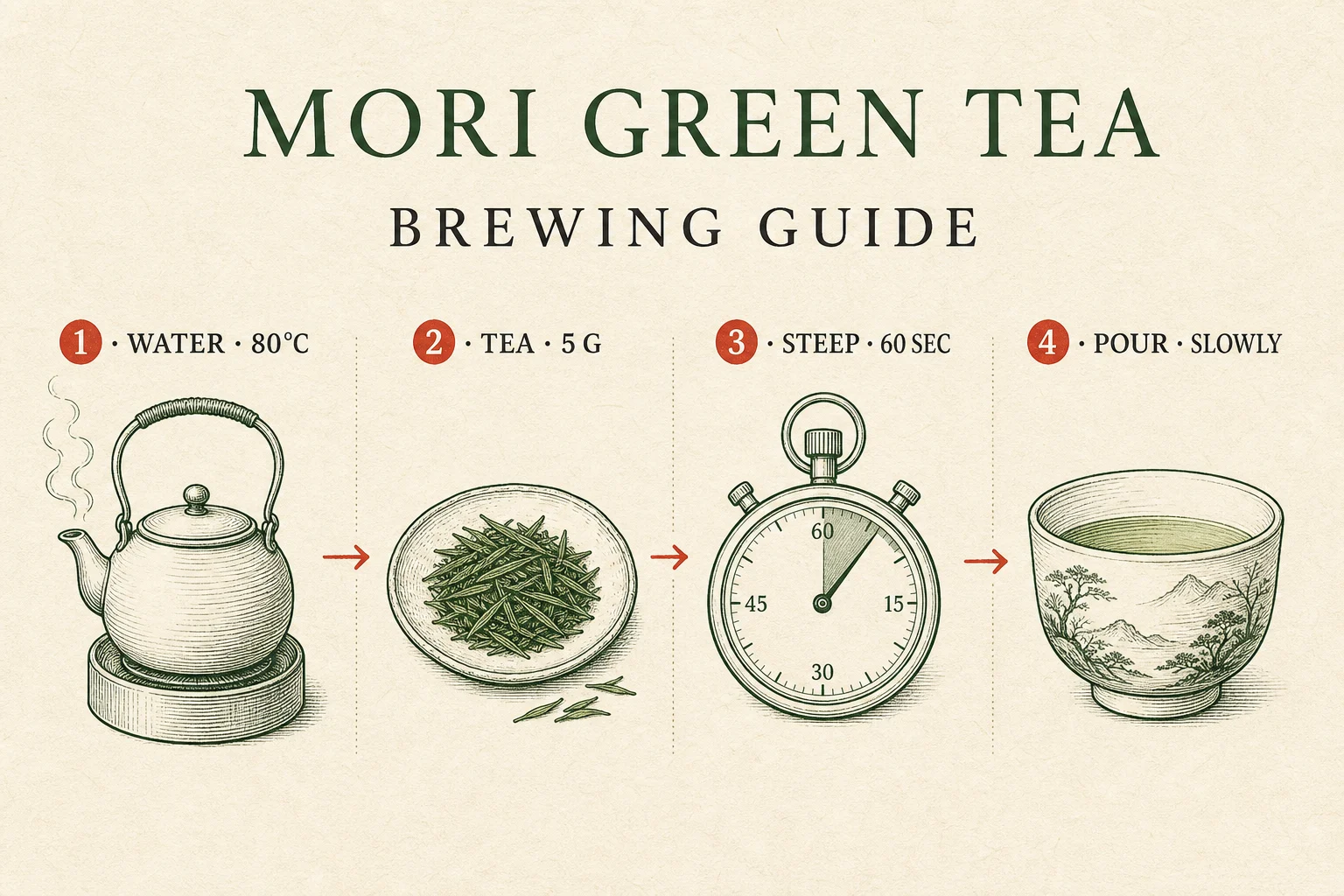
Read visible lettering
Turn recognized text into a copyable transcription.
- Screenshots and labels
- Poster text and headings
Review the wording
Check characters, punctuation and reading order against the source.
- Human review remains useful
- Small text can be misread

Copy the result
Use the extracted text in a document or continue editing it elsewhere.
- Copyable text output
- Keep the image for comparison

Focus on a label or heading
When a full image contains too much small text, crop to the part you need first. A clear label or heading makes it easier to review the recognized wording.
- Focused source regions
- Clearer review of short text

Three simple steps
Upload the image
Choose a clear screenshot or photo of text.
Extract the text
Read the returned transcription.
Check and copy
Correct any mistakes before reuse.
Keep working on your image
Frequently asked questions
Will the original layout be preserved?
The result is a text transcription, not a recreation of the page layout.
Can it read handwriting?
Recognition can vary. Clear printed text is a more reliable input than difficult handwriting.
Can I extract text from a blurred photo?
You can try, but missing or unclear characters may be misread or omitted.
Does this change text inside the image?
No. Use Edit Text in Image when you want a changed picture rather than a transcription.
What should I check before copying?
Compare names, numbers, punctuation and reading order with the source.